
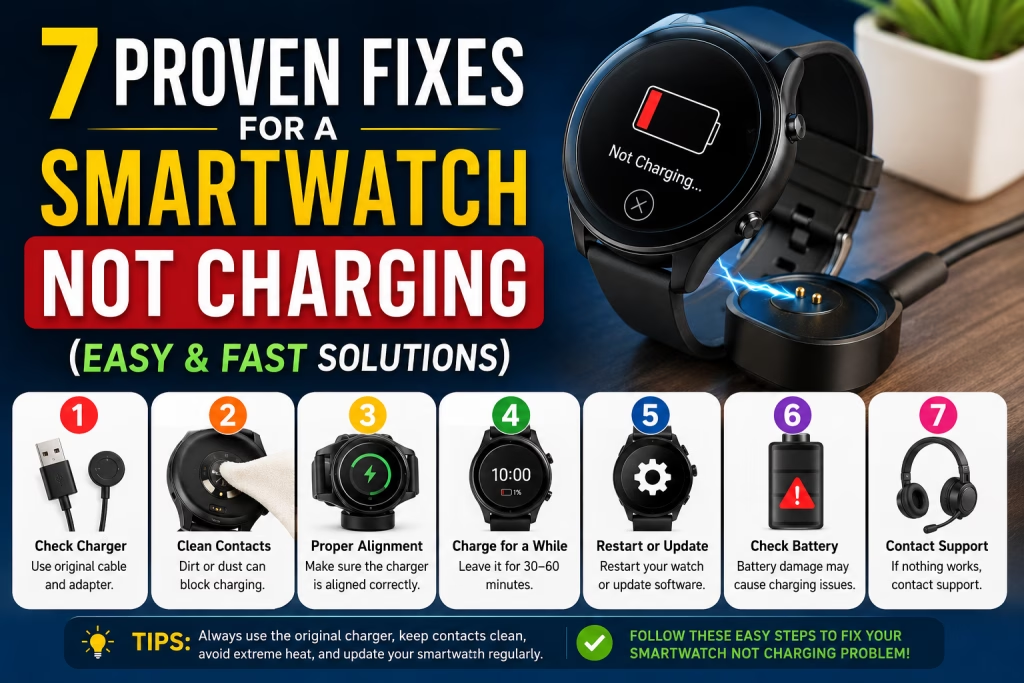
7 Proven Fixes for a Smartwatch Not Charging (Easy & Fast Solutions)
7 Proven Fixes for a Smartwatch Not Charging (Easy & Fast Solutions)
Introduction
A smartwatch is more than just a wearable gadget—it helps you stay connected, track your fitness, monitor your health, and manage daily tasks. However, it can be frustrating when your smartwatch suddenly stops charging. Whether you own an Apple Watch, Samsung Galaxy Watch, Fitbit, Garmin, or another smartwatch brand, charging problems are common and often easy to fix.
If you’ve been searching for “smartwatch not charging”, this guide covers seven proven fixes that can help you solve the problem quickly without spending money on unnecessary repairs.
Why Is My Smartwatch Not Charging?
There are several reasons why a smartwatch may stop charging. The issue could be as simple as a dirty charging contact or as serious as a damaged battery. Before assuming the worst, it’s important to troubleshoot the problem step by step.
Let’s explore the most effective solutions.
1. Check the Charging Cable and Power Adapter
One of the most common reasons a smartwatch won’t charge is a faulty charging cable or USB adapter.
Over time, charging cables can become damaged internally, even if there are no visible signs of wear.
What You Should Do
- Use the original charger provided by the manufacturer.
- Try another compatible USB adapter.
- Test the charging cable with another smartwatch if possible.
- Plug the charger into a different power outlet.
Replacing a defective cable often solves the charging issue immediately.
2. Clean the Charging Contacts
Dust, sweat, oil, and dirt can accumulate on the charging pins and prevent proper electrical contact.
Even a small amount of debris can stop your smartwatch from charging.
How to Clean It
- Turn off the smartwatch.
- Use a soft microfiber cloth.
- Gently clean the charging pins.
- If necessary, use a cotton swab with a small amount of isopropyl alcohol.
- Allow everything to dry before reconnecting the charger.
Avoid using sharp metal objects because they may permanently damage the charging contacts.
3. Make Sure the Charger Is Properly Aligned
Many smartwatches use magnetic charging docks.
If the charger is slightly misaligned, charging may not begin.
Quick Fix
- Remove the charger.
- Reattach it carefully.
- Wait for the charging icon to appear.
- Ensure the magnetic connection is secure.
This simple adjustment often fixes the problem within seconds.
4. Leave the Smartwatch Charging for 30–60 Minutes
If the battery has been completely drained, your smartwatch may appear dead.
In many cases, the display won’t turn on immediately after connecting the charger.
What to Do
Leave the smartwatch connected to the charger for at least 30 to 60 minutes.
Do not disconnect it repeatedly during this time.
Many smartwatches recover automatically after receiving enough power.
5. Restart or Update Your Smartwatch
Software glitches can interfere with the charging process.
Restarting the device clears temporary system errors that may prevent charging.
Steps
- Force restart the smartwatch.
- Install the latest firmware update.
- Restart again after updating.
Manufacturers regularly release updates that improve battery management and charging performance.
6. Check for Battery or Hardware Damage
If your smartwatch is several years old, the battery may have reached the end of its lifespan.
Signs of Battery Failure
- Battery drains very quickly.
- Charging percentage never increases.
- Smartwatch overheats while charging.
- Watch shuts down unexpectedly.
If these symptoms appear, battery replacement is usually the best solution.
Visit an authorized service center for professional diagnosis.
7. Perform a Factory Reset or Contact Support
If none of the previous fixes work, software corruption may be causing the issue.
A factory reset restores the smartwatch to its default settings.
Before Resetting
- Back up important data.
- Follow the manufacturer’s instructions.
- Reset only after trying all other troubleshooting methods.
If the smartwatch still refuses to charge, contact the manufacturer’s customer support or visit an authorized repair center.
Bonus Tips to Prevent Charging Problems
Proper maintenance can help extend your smartwatch’s battery life and prevent future charging issues.
Best Practices
- Always use the original charging cable.
- Keep charging contacts clean.
- Avoid exposing the watch to excessive heat.
- Don’t let the battery reach 0% regularly.
- Disconnect the charger once the battery reaches 100%.
- Install software updates regularly.
- Store the smartwatch in a dry environment.
These habits can significantly improve battery performance over time.
Frequently Asked Questions (FAQs)
What Does “Smartwatch Not Charging” Mean?
If your smartwatch not charging issue appears suddenly, don’t panic. In many cases, the problem is caused by a loose charging cable, dirty charging contacts, or a temporary software glitch. Before replacing your device, it’s important to troubleshoot the issue using simple methods. Most smartwatch not charging problems can be fixed at home without professional repair.
How to Prevent Smartwatch Not Charging Problems
The best way to avoid smartwatch not charging issues is through regular maintenance. Clean the charging pins every few weeks, use only the original charger, and keep your smartwatch away from excessive heat and moisture. Following these simple habits will reduce the chances of experiencing a smartwatch not charging problem in the future.
Final Recommendation
If you’ve tried all seven proven fixes and your smartwatch not charging issue still hasn’t been resolved, the problem is likely related to the battery or internal hardware. Contact the manufacturer’s authorized service center for a complete inspection. Remember, early diagnosis can prevent a minor smartwatch not charging problem from turning into an expensive repair.




Add comment